---
title: Build a Website without Coding| Quick Guide for Non-Developers
description: Build a website quickly and easily without being a developer. Explore user-friendly tools and platforms that simplify the website creation process.”
image: https://hermitcrabs.io/hubfs/comp-deve.png
---
Posted June 23 by Niranjan Reddy
Jun 23 by Niranjan Reddy
# How To Quickly Build A Website Not Being A Developer?
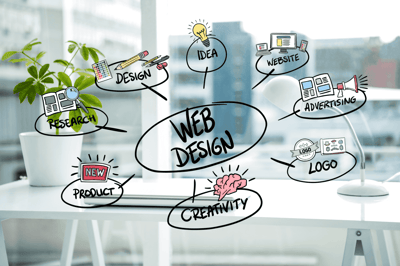
Can you turn out to be a web developer without learning how to code? Yes, it is possible. Thanks to the different web development tools available these days to help anyone develop his/her website! Here are some methods you can follow to quickly build a website.
#### First Things First:
Irrespective of the method you follow to end up creating a website, you should have a domain. Your domain is nothing but the URL that you type in a browser to get to a website. We will explore some methods to develop a website without having coding knowledge. With some of these methods, you will get a free domain. Nevertheless, it is better to buy a domain separately. The reason is that if you ever decide to modify how you host your website, it is not hard to transfer your domain and point it to a new service. Some of the popular domain registrars are Google, Namecheap and GoDaddy.
#### Use WordPress With A Template:
You will be surprised to know that more than 43% of websites across the world are powered by WordPress. This is one of the most familiar content management systems in the present situation. The good thing about this platform is that you can sign up for free. Once signed up, you can start working on your website design and most importantly, you need not have any coding knowledge to start developing your website.
You can find different templates in WordPress. You can compare many of them and choose one first. The good thing about WordPress is that it acts as a content management system by letting you add and make changes to your content as and when you need it. Of course, once you develop a website using WordPress, you will have to buy a domain and a host to make your website entirely functional. When using WordPress, you can add new pages from the backend. With this CMS, you can add media, images, new blog posts and even new web pages to your website.
When you choose WordPress to create your website, make sure to make some changes to the template. Only then, you can make your website look unique. This CMS lets you develop a website affordably without any coding knowledge. Indeed, you can get a wide range of features from WordPress. But, if something goes wrong, you might need professional help to fix it.
#### Try Webflow:
You can develop a website without any coding knowledge with the help of Webflow. With Webflow Editor, you can design visually appealing, professional and custom websites. It brings together the features of WYSIWYG Editor. So, you can create a bespoke website right from the scratch with this platform. Many such platforms are available out there. But, most of them lack design customization features. With this platform, you can create unique websites in no time without any coding knowledge.
Based on the nature of your business, you can choose a template from different options available on this platform to start designing your website. When you use other such platforms, the problem is that you will have restricted features to customize your website. This is where Webflow stands out. The reason is that it provides you with all the essential tools required for the creation of a customized website right from scratch.
Above all, when you use this platform, your website will get a clean code. It means that your website will load at a faster pace. Slow loading of websites has always been an issue faced by many businesses as visitors lose interest in exploring a slow-loading website. The best aspect of Webflow is that you can use a wide range of features that include interactions and animations from within a visual canvas for developing your website without any code.
#### Use A Website Builder:
Not only Content Management Systems, but also you can use a website builder for developing a website without any coding knowledge. When you begin your search for a website builder, you will come across different options. Each has its own advantages over the other. The idea here is to choose a website builder that rightly meets your requirements. Most importantly, there should be the facility to customize the website when you use a website builder. Many people use Wix, which is one of the popular website builders with more than 100 million subscribers. Shopify alone crossed 1.2 million subscribers recently.
When you choose a builder that offers a drag-and-drop mechanism, you can drag the parts that you feel are attractive for creating a great-looking website.
#### Start with A Plan:
Before you begin developing a website, it is important for you to initially connect with people and teams across your organization to develop a plan for your website. Before you create a draft, it is better to find answers to the questions below:
- What is the budget for the website?
- How to structure the website such that the visitors can get the best navigation experience?
- What content should be part of the website and what will be the volume?
- What is the purpose of the content or what do you wish the visitors to know about your business?
- What type of website do you wish to develop? Will it function as an online store, membership website or a website with some basic details about your business?
- Who is your target audience and what do you want them to do on your website?
- Why should I have a website?
You can find answers to these questions only when you interact with different teams in your organization. The teams include people from the finance team, marketing team and of course, the web development team. People from these teams together can identify priorities such that it is possible to arrive at informed decisions. In simple terms, things will become easier when you create a roadmap right at the beginning.
#### Conclusion:
Nowadays, you need not essentially need to be an expert with coding knowledge to develop a website. Choose a dependable website builder and things will become easier for you undoubtedly.

Niranjan Reddy leads Hermitcrabs, Inc, an B2B Tech Inbound Marketing agency and eCommerce Agency, Google Certified & HubSpot partner. Who specialize in helping some of the world's largest B2B enterprise tech, tech Start-ups, professional service, and pharmaceutical companies increase and nurture their sales and marketing pipelines. Hermitcrabs, core services include inbound marketing, sales enablement, account-based marketing, modern lead generation digital strategies and web development in HubSpot COS, Wordpress, Magento, and Shopify.
## Related Content
[HubSpot Tools And Techiques To Get Success In Your Sales](https://hermitcrabs.io/blog/hubspot-tools-and-techiques-to-get-success-in-your-sales) [How To Create Marketing Email Templates In HubSpot?](https://hermitcrabs.io/blog/how-to-create-marketing-email-templates-in-hubspot) [What Do HubSpot CMS Consultants Do?](https://hermitcrabs.io/blog/what-do-hubspot-cms-consultants-do) [HubSpot Website Development Services](https://hermitcrabs.io/hubspot-development-agency) [How To Quickly Build A Website Not Being A Developer?](https://hermitcrabs.io/blog/how-to-quickly-build-a-website-not-being-a-developer) [How To Move Your Blog Posts Into HubSpot With CSS Selectors And Smart Copy?](https://hermitcrabs.io/blog/how-to-move-your-blog-posts-into-hubspot-with-css-selectors-and-smart-copy) [Essential Reports Your Sales Team Should Build Using HubSpot Sales Hub](https://hermitcrabs.io/blog/essential-reports-your-sales-team-should-build-using-hubspot-sales-hub) [A Coronavirus Action Plan For B2B Marketing](https://hermitcrabs.io/blog/a-coronavirus-action-plan-for-b2b-marketing) [Hubspot Marketing Service](https://hermitcrabs.io/hubspot-marketing-agency)
### Similar articles
[
Posted March 03 by Niranjan Reddy
Mar 03 by Niranjan Reddy
## Essential Tips to Improve your Website Design
](https://hermitcrabs.io/blog/essential-tips-to-improve-your-website-design) [
Posted January 02 by Niranjan Reddy
Jan 02 by Niranjan Reddy
## How to Estimate the Cost of Building a Website on HubSpot CMS?
](https://hermitcrabs.io/blog/cost-estimation-for-building-hubspot-cms-website) [
Posted March 10 by Niranjan Reddy
Mar 10 by Niranjan Reddy
## Website Redesign Checklist and Strategy
](https://hermitcrabs.io/blog/website-redesign-checklist-and-strategy) [
Posted November 23 by Niranjan Reddy
Nov 23 by Niranjan Reddy
## Automated Schema Development and Deployment Using the CMS API
](https://hermitcrabs.io/blog/automated-schema-development-and-deployment-using-the-cms-api) [
Posted February 27 by Niranjan Reddy
Feb 27 by Niranjan Reddy
## Beginner's Guide to Website Optimization Best Practices and Strategies
](https://hermitcrabs.io/blog/beginners-guide-to-website-optimization-best-practices-and-strategies)
```json
{
"@context" : "https://schema.org",
"@type" : "BlogPosting",
"author" : {
"@type" : "Person",
"name" : "Niranjan Reddy",
"url" : "https://hermitcrabs.io/blog/author/niranjan-reddy"
},
"dateModified" : "2023-08-21T09:17:44.718Z",
"datePublished" : "2022-06-23T05:54:36.000Z",
"headline" : "Build a Website without Coding| Quick Guide for Non-Developers",
"image" : [ "https://hermitcrabs.io/hubfs/comp-deve.png" ],
"mainEntityOfPage" : {
"@id" : "https://hermitcrabs.io/blog/how-to-quickly-build-a-website-not-being-a-developer",
"@type" : "WebPage"
},
"publisher" : {
"@type" : "Organization",
"logo" : {
"@type" : "ImageObject",
"url" : "https://hermitcrabs.io/hubfs/hermitcrabs-logo-%20(3).png"
},
"name" : "Hermitcrabs, Inc"
}
}
```
```json
{
"@context" : "http://schema.org",
"@type" : "Review",
"author" : {
"@type" : "Person",
"name" : "Maxime Berger"
},
"itemReviewed" : {
"@type" : "Product",
"aggregateRating" : {
"@type" : "AggregateRating",
"ratingValue" : 5,
"reviewCount" : 1458
},
"name" : "Advanced HubSpot CMS Development & Design"
},
"name" : "",
"reviewBody" : "Top-rated HubSpot agency who cares about your businesslike it's their own",
"reviewRating" : {
"@type" : "Rating",
"ratingValue" : 5
},
"url" : "https://hermitcrabs.io/"
}
```
```json
{
"@context" : "https://schema.org",
"@type" : "FAQPage",
"mainEntity" : [ {
"@type" : "Question",
"acceptedAnswer" : {
"@type" : "Answer",
"text" : "Below are some examples of content types and features that HubSpot cannot migrate:
- Database-driven pages
- Login or members-only section
- Mega menus, image based menus, or menus with non-linked content (descriptions or paragraph content)
- E-commerce functionality
- Progressive forms/forms with logic
- Calculators and other gizmos that use server-side scripts
- Live chat
- Most ads
- Video files that are not .swf (.flv, .mov, .mp4, .wmv, etc.)
- User-generated content (forums, ratings, etc.)
- Forms requesting Personally Identifiable Information
- Blog comments will not be transferred over from your existing blog to your HubSpot blog. Third party commenting features such as Disqus and Facebook commenting will not be migrated.
- Dealer locators
- Real estate listings and search if managed on their site
- Flash websites, Flash navigation, and Flash with embedded links/multiple files associated
"
},
"name" : "What things cannot migrate?"
}, {
"@type" : "Question",
"acceptedAnswer" : {
"@type" : "Answer",
"text" : "- Certain rollover effects, tables, anchor tags, or popups may change
- Precise spacing, non-standard fonts, and column widths may change
- Responsive layout may change
"
},
"name" : "What may change in the migration?"
}, {
"@type" : "Question",
"acceptedAnswer" : {
"@type" : "Answer",
"text" : "The URL you provide to our Migrations team must be to a live page/site so we can access the HTML and CSS being used on the page to replicate the content in HubSpot.
"
},
"name" : "Why do I need a live URL?"
}, {
"@type" : "Question",
"acceptedAnswer" : {
"@type" : "Answer",
"text" : "Yes, you can submit a live URL to a staging site.
"
},
"name" : "Can I submit a staging site?"
}, {
"@type" : "Question",
"acceptedAnswer" : {
"@type" : "Answer",
"text" : "Yes, as long as you provide the password.
"
},
"name" : "Can I submit a password protected page?"
}, {
"@type" : "Question",
"acceptedAnswer" : {
"@type" : "Answer",
"text" : "No, we will replicate your existing blog in HubSpot.
"
},
"name" : "Can you make my blog look like the Hubspot blog?"
}, {
"@type" : "Question",
"acceptedAnswer" : {
"@type" : "Answer",
"text" : "No, our migrations services will replicate your existing site format/content, not redesign it. If you would like to redesign your site, we recommend doing so BEFORE requesting a HubSpot migration service or work with a HubSpot partner who can redesign and migrate your site.
"
},
"name" : "I want to use my site migration onto HubSpot as an opportunity to redesign my site; will HubSpot do this for me?"
}, {
"@type" : "Question",
"acceptedAnswer" : {
"@type" : "Answer",
"text" : "Template setup, blog migration, and website migrations are available for CMS Hub Professional and CMS Hub Enterprise customers. CMS Hub Starter customers can leverage HubSpot’s tools to import their blog content or website structure into HubSpot. Learn more here.
"
},
"name" : "Which edition of CMS Hub do I need to use HubSpot’s professional migration services?"
} ]
}
```